Nitida Tables · WordPress plugin
Tables people can read on a phone.
Build a table once. On a wide screen it is a clean table you can sort and search. On a phone every row becomes a card, so nobody has to scroll sideways through a grid of tiny cells.
Free, GPL-2.0-or-later · WordPress 6.5+ · PHP 7.4+ · 12 languages · On WordPress.org
Wide screen
| Version | Released | Active until | Security until | Status |
|---|---|---|---|---|
| PHP 8.5 | 2025-11-20 | 2027-12-31 | 2029-12-31 | Active |
| PHP 8.4 | 2024-11-21 | 2026-12-31 | 2028-12-31 | Active |
| PHP 8.3 | 2023-11-23 | 2025-12-31 | 2027-12-31 | Security only |
| PHP 8.2 | 2022-12-08 | 2024-12-31 | 2026-12-31 | Security only |
| PHP 8.1 | 2021-11-25 | 2023-11-25 | 2025-12-31 | End of life |
| PHP 8.0 | 2020-11-26 | 2022-11-26 | 2023-11-26 | End of life |
| PHP 7.4 | 2019-11-28 | 2021-11-28 | 2022-11-28 | End of life |
Live table, free plugin. Try a search: “security”. The first row carries a “Latest” badge and the version column stands out.Same table with two Pro settings: the Status column shows colored badges and visitors can filter by status. See everything Pro adds. Data: php.net.
PhoneSame table
| Version | Released | Active until | Security until | Status |
|---|---|---|---|---|
| PHP 8.5 | 2025-11-20 | 2027-12-31 | 2029-12-31 | Active |
| PHP 8.4 | 2024-11-21 | 2026-12-31 | 2028-12-31 | Active |
| PHP 8.3 | 2023-11-23 | 2025-12-31 | 2027-12-31 | Security only |
| PHP 8.2 | 2022-12-08 | 2024-12-31 | 2026-12-31 | Security only |
| PHP 8.1 | 2021-11-25 | 2023-11-25 | 2025-12-31 | End of life |
| PHP 8.0 | 2020-11-26 | 2022-11-26 | 2023-11-26 | End of life |
| PHP 7.4 | 2019-11-28 | 2021-11-28 | 2022-11-28 | End of life |
How it works
Three steps. Most tables take a few minutes.
Create or import a table
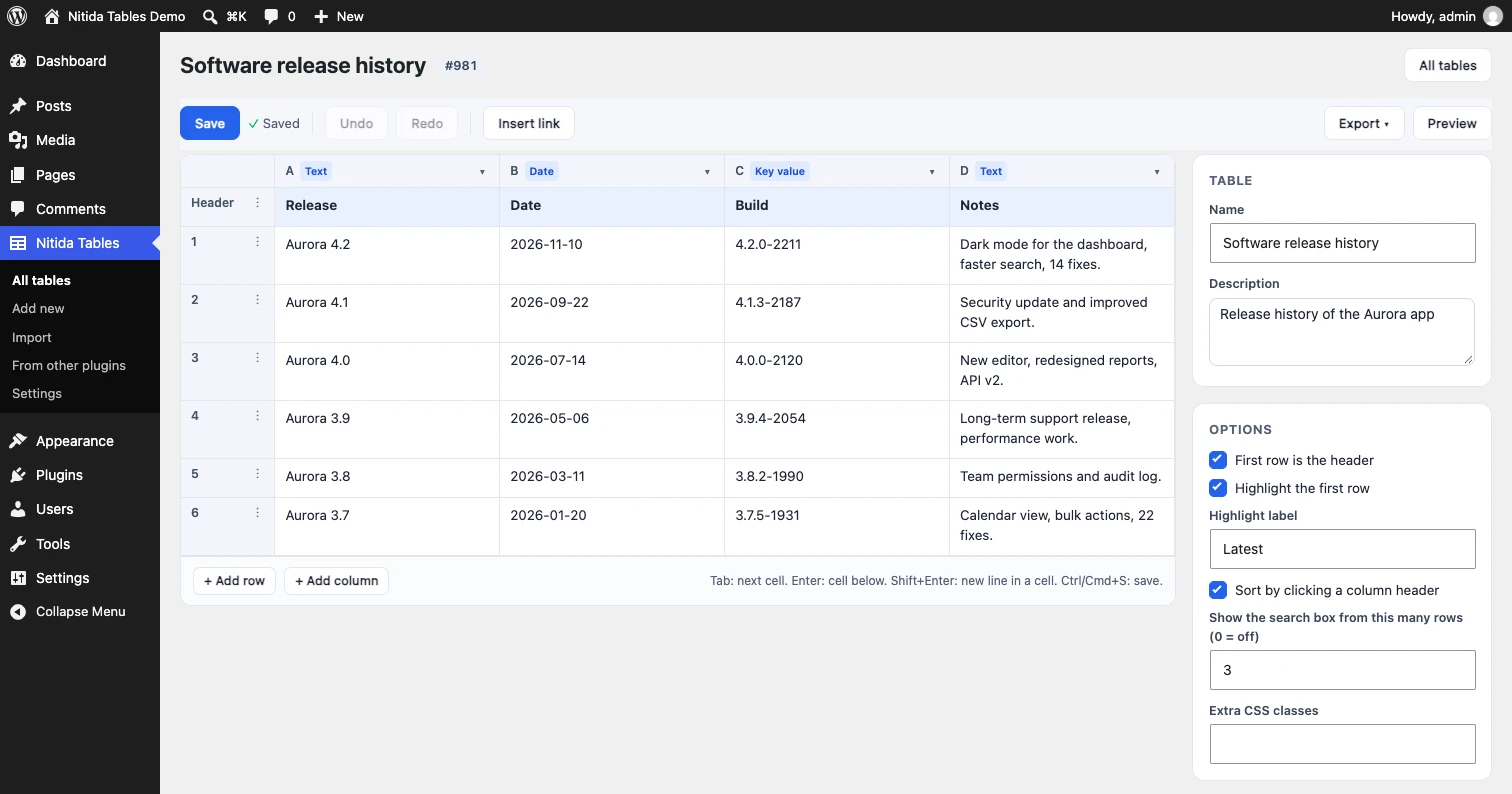
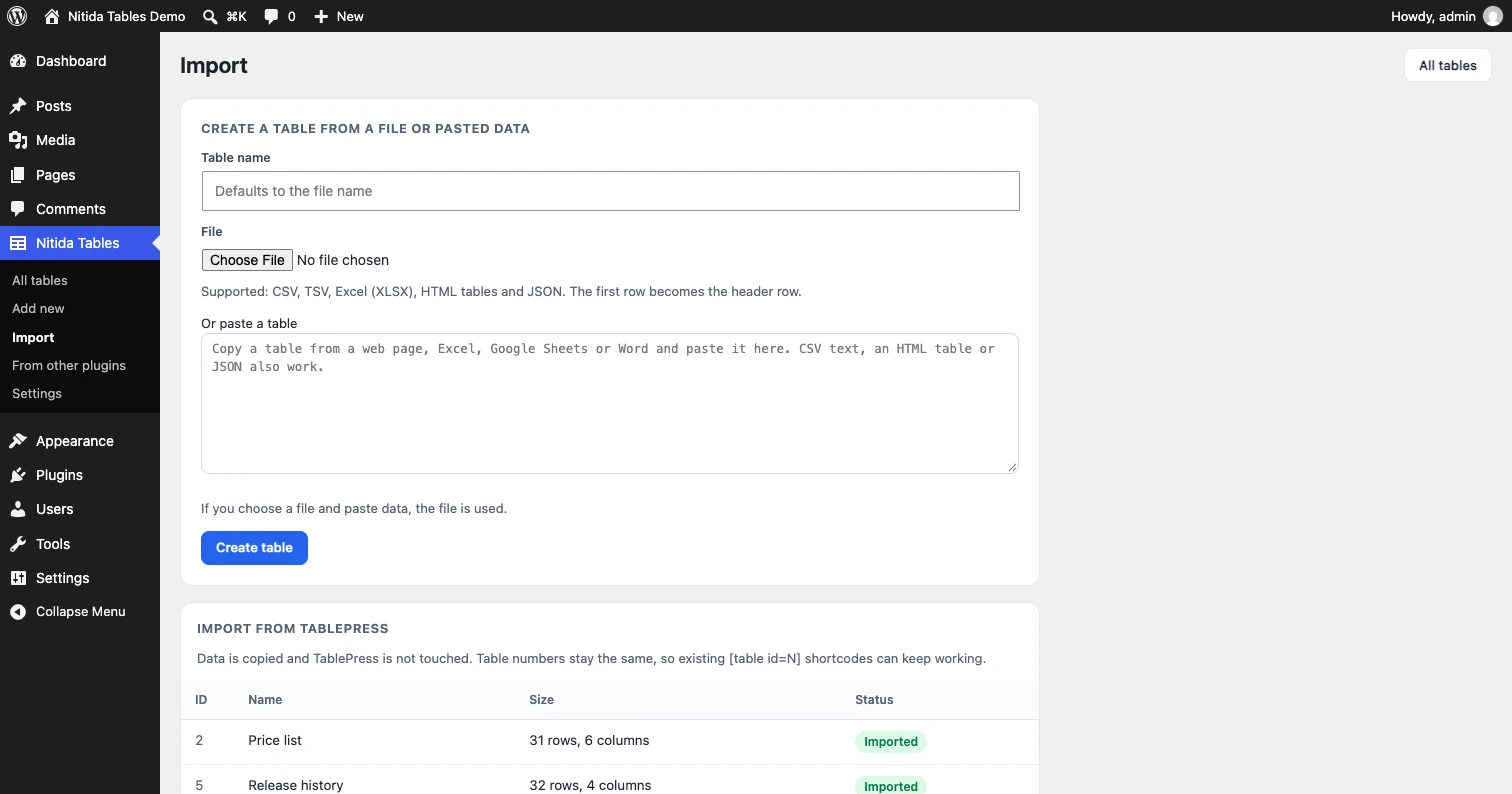
Type into the spreadsheet-style editor, paste from Excel or Google Sheets, import a CSV or Excel file, or copy your tables from TablePress, Ninja Tables, wpDataTables or Supsystic.
Put it on a page
Add the Nitida Table block, the Elementor widget, or paste the shortcode
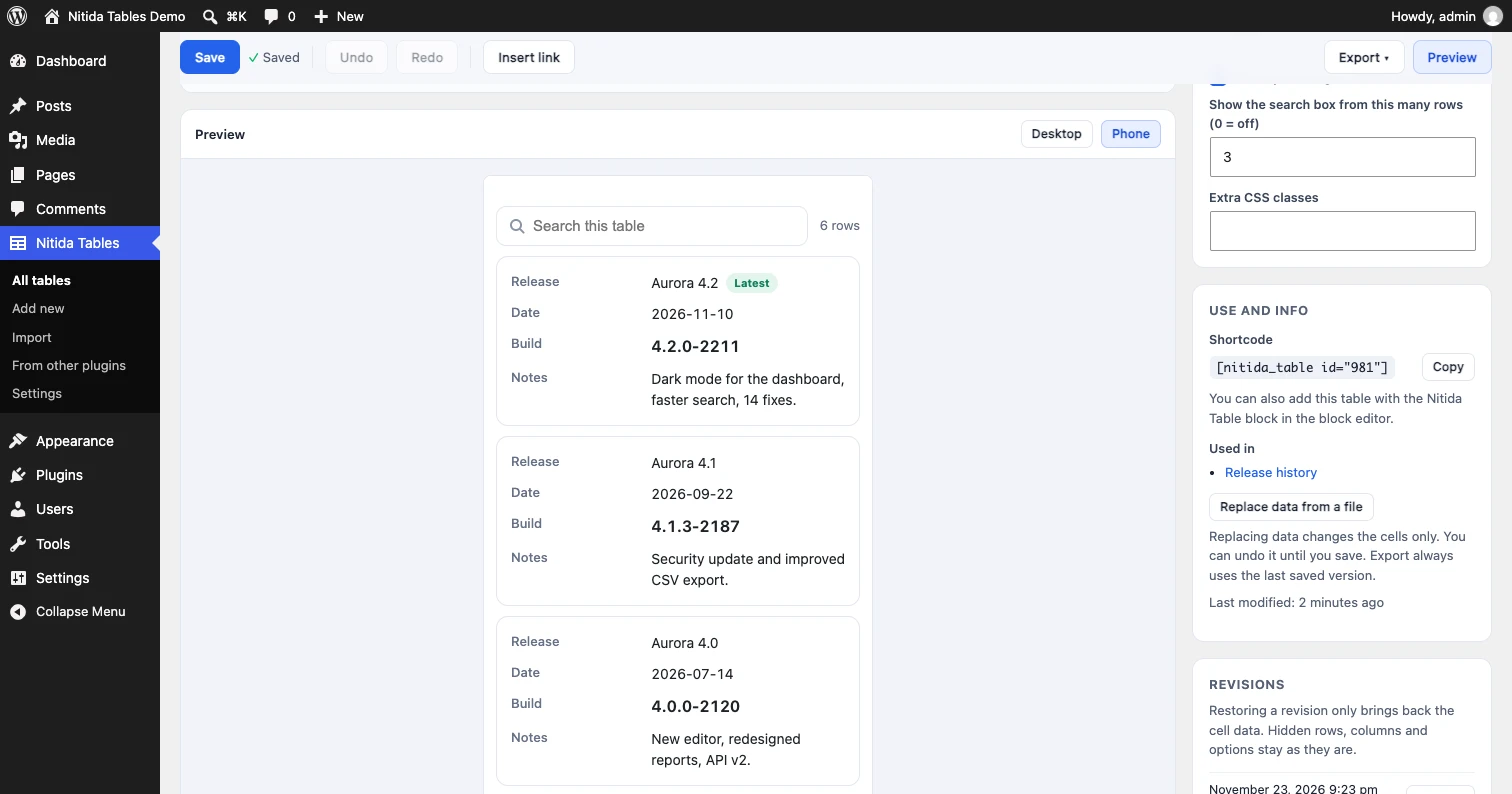
[nitida_table id="1"]. The live preview shows the desktop and the phone layout before you save.Readers get cards on phones
On a wide screen visitors see a clean table they can search and sort. On a phone each row becomes a card with the column names as labels. Nothing to set up.
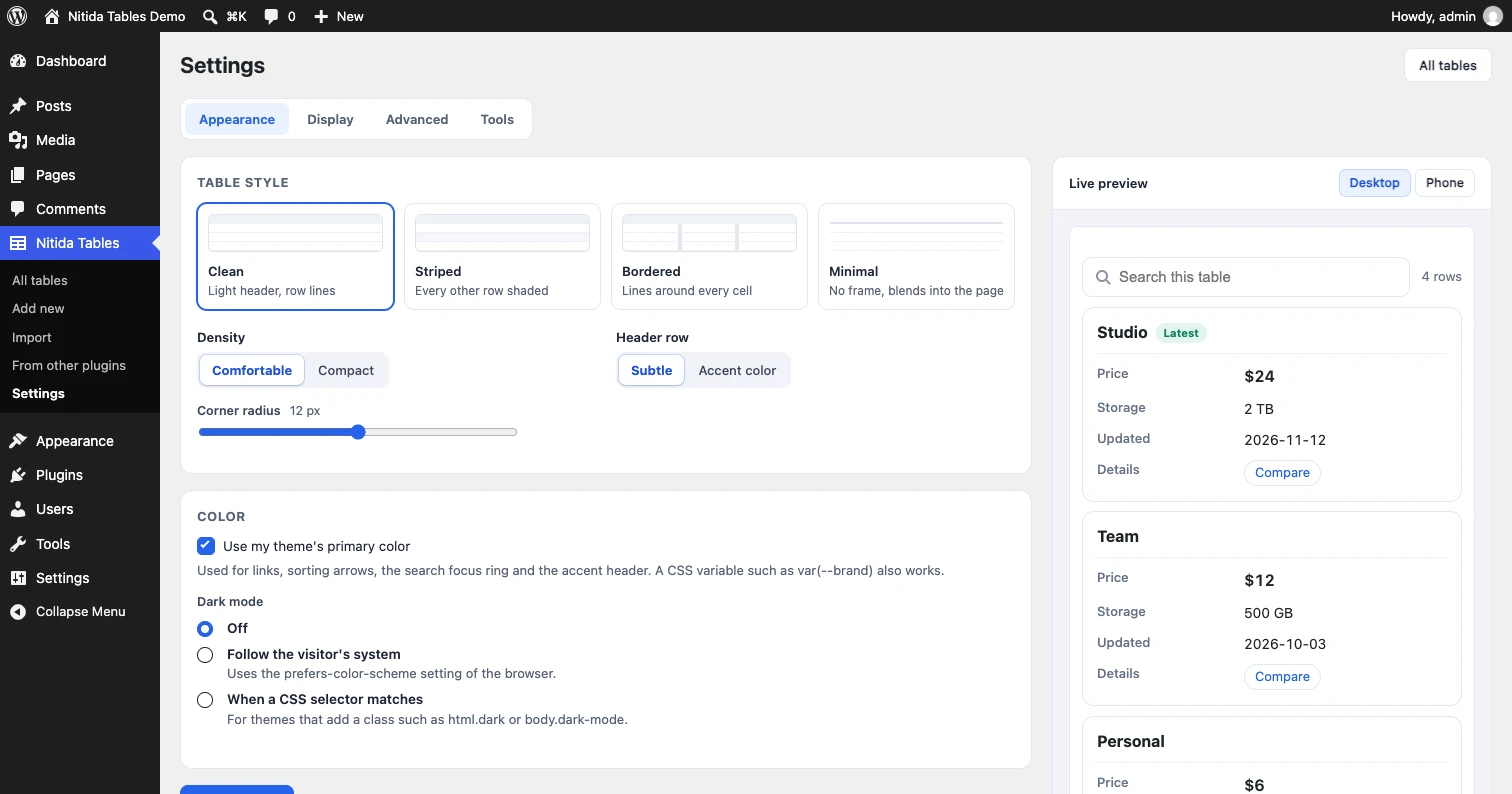
See the editor
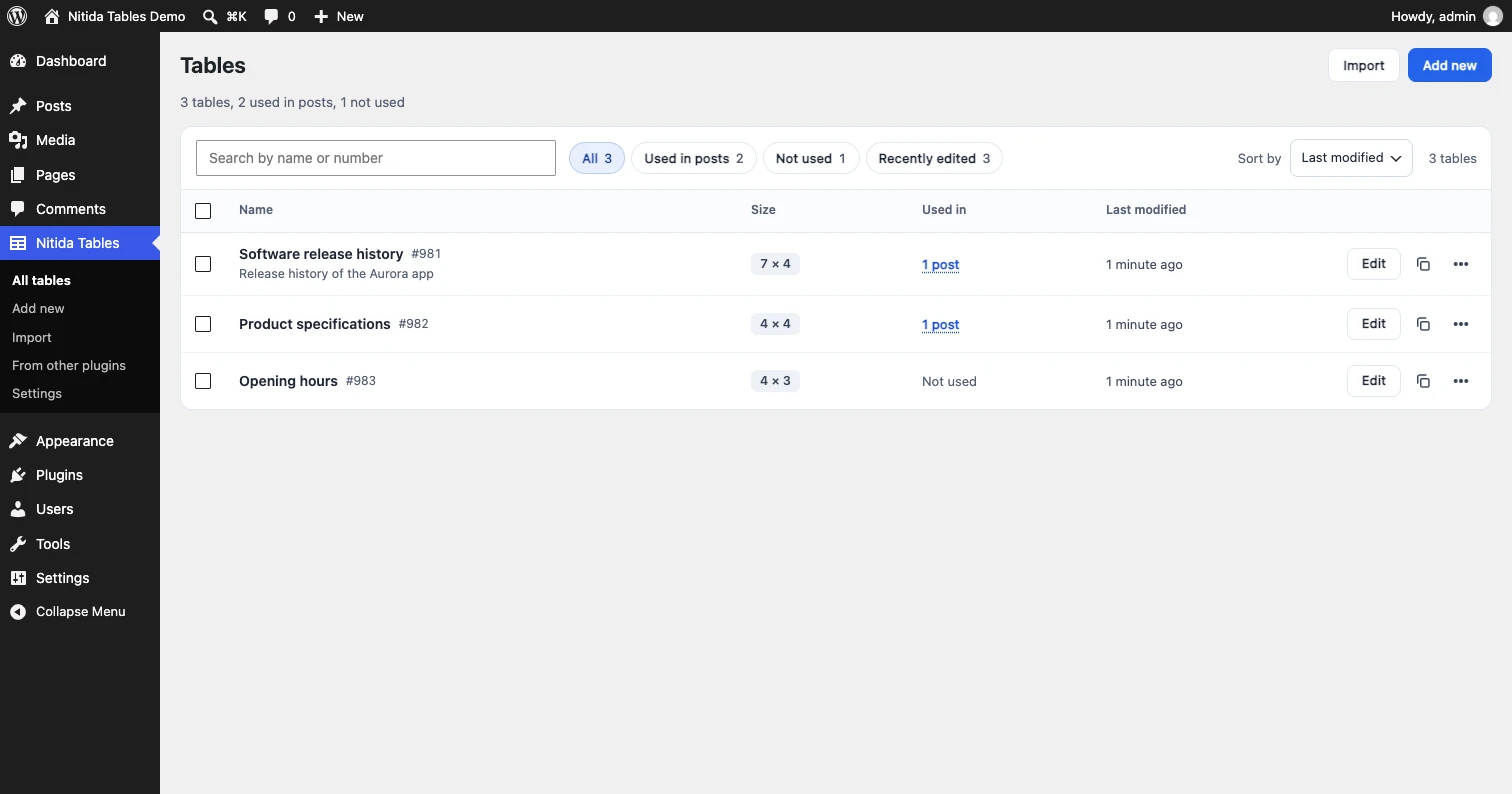
Real screens from the plugin, taken in a WordPress admin.
Free, and complete
The free plugin is not a trial. Everything below works on any number of sites, with no limits on tables, rows or columns.
Cards on phones
Below a width you choose, each row turns into a card with the column names as labels. It works per table container, so a table in a narrow sidebar becomes cards too.
Instant search and sorting
The search box appears from 8 rows by default, and you can change that per table or for all tables. Headers sort text, numbers, prices and dates, so 10 comes after 9, and on phones a Sort by menu sorts the cards. Search ignores accents: cafe finds café.
A spreadsheet-style editor
Type, paste from Excel or Google Sheets, move rows and columns, hide what you do not want to show. Undo, revisions and a live phone preview are built in.
Import almost anything
CSV, Excel, HTML, JSON, a table copied from any web page, or your TablePress tables. Links and basic formatting survive the trip.
Block, shortcode and Elementor
Add a table with the Nitida Table block, the shortcode, or the Elementor widget. The block shows a real preview in the editor.
Looks right in your theme
Four styles, two densities, your accent color, corner radius and dark mode. Visitor-facing text follows the language of the page.
Moving from another plugin
Nitida Tables finds the tables other plugins left on your site and offers to copy them. With “Keep old shortcodes working” turned on, your old shortcodes show the copies, so you do not have to edit a single post. The original tables are never changed.
- TablePresskeeps table numbers
- Ninja Tablesmanual tables
- wpDataTablesmost table types
- Data Tables Generator by Supsysticmanual tables
The assistant tells you, table by table, what will not carry over before you copy anything. Tables fed from Google Sheets, files or SQL queries in the other plugin are copied once as static data. How migration works
When a table needs to do more
Pro is for tables that change often or carry a lot: price lists that come from a spreadsheet, product comparisons, catalogs with filters. Everything above stays free, on any number of sites, with no limits on tables, rows or columns.
Tables that update themselves Pro
Connect Google Sheets, a CSV or JSON address, or a table on a web page. Pro fetches new data on a schedule and shows you what changed before it goes live.
Comparison layouts Pro
Products as columns, a highlighted pick, check marks instead of “Yes”, buttons in the last row. On phones visitors flip through one product at a time.
Your existing WordPress tables, fixed Pro
The table blocks already in your posts become readable cards on phones without editing a post, and you can convert them to Nitida tables in bulk.
Nitida Tables Pro from $39 a year
One license covers 1, 5 or 25 sites. If a license ends, your tables and Pro features keep working; only updates and support stop. Every purchase and renewal has a 14-day money-back guarantee.
Launch offer: 30% off the first year of a yearly license until December 2.
Questions
More answers in the documentation.
When do rows turn into cards?
When the space the table sits in is narrower than 600 pixels, or the screen is narrower than 720 pixels, by default. You can change the width or switch cards off in the settings. Because it depends on the container, not the screen, a table in a narrow column becomes cards on a desktop too.
Will my TablePress tables keep working?
Yes. Tables keep their numbers when you copy them, and with “Keep old shortcodes working” on, every [table id=N] in your posts shows the Nitida copy. You can then deactivate TablePress.
What happens to my tables if I remove the plugin?
They stay in your database. Tables are only deleted on uninstall if you switch that on yourself in the settings. You can export any table as CSV or JSON at any time.
Do I need Pro?
Most sites do not. The free plugin has phone cards, search, sorting, import and the move from other plugins, with no limits on sites, tables or rows. Pro is for tables that should update themselves from Google Sheets or a CSV, for comparison tables, filters and charts, and for the table blocks already in your posts.
What happens when a Pro license ends?
Nothing is removed. Your tables, data and settings stay, and Pro features keep working. You only stop getting updates, new Pro versions and support.
Can I get my money back?
Yes. Ask within 14 days of a purchase or a renewal and you get the full amount back, no reason needed. Email hello@getnitida.com; see refunds.
Does it slow down my site?
Tables are rendered on the server. The front end loads one stylesheet and one small script without dependencies, and only on pages that show a table.
Make your next table readable.
Install it from your dashboard: Plugins, Add New, then search for Nitida Tables. Or download it from WordPress.org and upload the zip under Plugins, Add New, Upload Plugin.
Need tables that update themselves? Pro from $39 a year, with a 14-day money-back guarantee.